
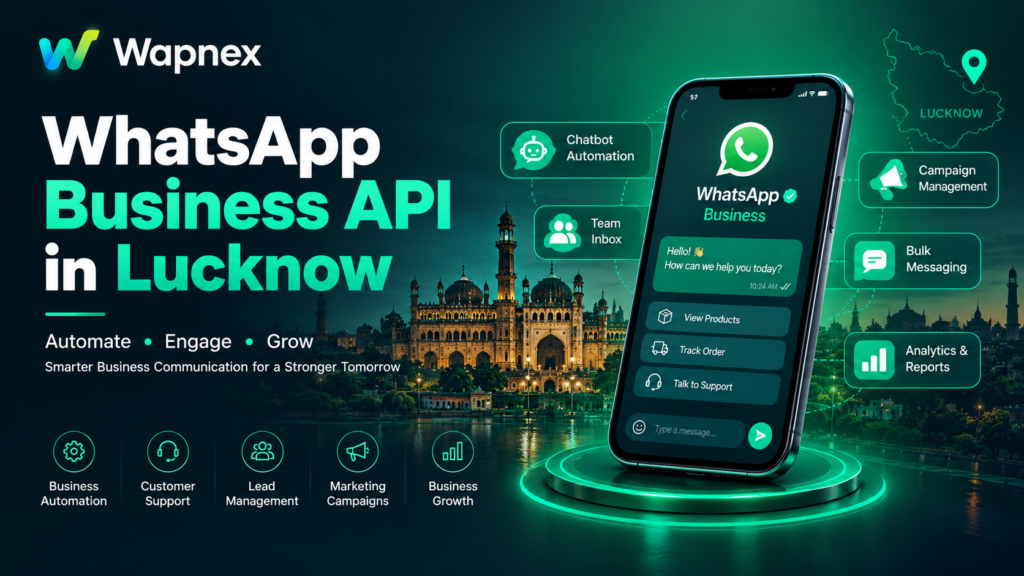
WhatsApp Business API in Lucknow: A Complete Guide for Growing Businesses
Businesses in Lucknow are increasingly using digital communication to connect with customers, manage enquiries, and promote their products and services. From retail stores and coaching institutes to real estate companies, hospitals, and e-commerce businesses, timely customer communication plays an important role in business growth.
WhatsApp has become a convenient communication channel because customers can ask questions, receive updates, and interact with businesses directly from their smartphones. However, managing a large number of conversations manually can become challenging as a business grows.
The WhatsApp Business API in Lucknow can help businesses organize customer conversations, automate routine responses, manage messaging workflows, and improve follow-up processes.
With a platform like Wapnex, businesses can explore WhatsApp automation, chatbot flows, campaign management, contact management, and team communication tools.
In this guide, we will explain how WhatsApp Business API works, its benefits for Lucknow businesses, important features to consider, and how to choose a suitable solution.
What Is WhatsApp Business API?
WhatsApp Business API, also known as the WhatsApp Business Platform, is designed for businesses that need more advanced messaging capabilities than a standard WhatsApp account provides.
It enables businesses to connect WhatsApp communication with customer support processes, automated workflows, marketing campaigns, and compatible business applications.
Depending on the platform and configuration, WhatsApp Business API solutions can offer:
- Automated customer responses and chatbot workflows
- Approved message templates for business-initiated communication
- Shared inboxes for managing customer conversations
- Contact management and lead organization
- CRM and business application integrations
- Campaign management and messaging analytics
These capabilities can help businesses manage customer communication more systematically. Businesses must follow applicable WhatsApp policies, including customer consent, message-template requirements, and opt-out handling.
Why Do Businesses in Lucknow Need WhatsApp Business API?
Lucknow has businesses operating in sectors such as education, retail, healthcare, hospitality, real estate, travel, and professional services. These businesses often receive enquiries through websites, advertisements, social media, and direct messages.
When enquiries increase, responding to every customer manually can take considerable time.
Using a suitable WhatsApp Business API platform can help businesses improve communication in several ways.
1. Respond to Enquiries More Efficiently
Customers often ask about prices, product availability, service details, course fees, appointments, and booking procedures.
Automated replies can answer frequently asked questions and guide customers toward relevant information. More complicated enquiries can be transferred to a human representative.
This helps businesses create a more organized customer communication process.
2. Improve Lead Management
A business may receive enquiries from multiple sources but struggle to track which customers need follow-up.
Contact management, labels, and workflow automation can help teams organize enquiries according to customer interests, service requirements, or sales stages.
For example, a real estate company in Lucknow can organize enquiries based on property type and preferred location, then follow up with relevant information.
3. Manage Multiple Customer Conversations
When several employees handle customer messages, it can become difficult to coordinate responses through a single device.
A compatible WhatsApp Business API platform may provide a shared inbox where authorized team members can manage conversations, assign enquiries, and coordinate customer support.
4. Send Relevant Business Updates
Businesses can use supported messaging workflows to send appointment reminders, order updates, booking information, and relevant promotional messages to customers who have provided the appropriate consent.
Message templates and other requirements depend on the type of communication and applicable WhatsApp policies.
5. Review Messaging Performance
Campaign analytics can help businesses understand available delivery statuses, engagement data, and communication patterns.
By reviewing these insights, teams can identify opportunities to improve message relevance, follow-up processes, and customer engagement.
Which Businesses in Lucknow Can Use WhatsApp Business API?
WhatsApp Business API can support various business communication requirements. Here are some examples of how different industries may use it.
Educational Institutes and Coaching Centres
Lucknow has coaching centres, schools, colleges, and professional training institutes that receive enquiries from students and parents.
WhatsApp automation can help these organizations:
- Share course and admission information
- Answer frequently asked questions
- Send class schedule updates
- Manage admission enquiries
- Direct students to the appropriate counsellor
A chatbot can collect basic information about a student’s interests and route the enquiry to the relevant team.
Hospitals and Clinics
Healthcare providers can use approved messaging workflows for appointment confirmations, reminders, and general service information.
Organizations should handle patient information carefully and follow appropriate privacy and consent requirements.
Retail Stores and Showrooms
Retail businesses can use WhatsApp to answer product enquiries, share availability information, provide order updates, and communicate relevant offers to opted-in customers.
Organized conversations can also help staff follow up on customer enquiries more consistently.
Real Estate Companies
Property businesses can receive enquiries about residential projects, commercial properties, site visits, and property availability.
WhatsApp Business API workflows can help teams organize leads, share relevant project information, and coordinate follow-ups.
Hotels and Travel Agencies
Hotels and travel agencies can use WhatsApp communication for booking enquiries, reservation information, itinerary updates, and customer support.
Automation can handle routine questions while staff manage more detailed travel requirements.
E-commerce Businesses
Online stores can use WhatsApp for order notifications, customer support, product enquiries, and eligible cart-recovery workflows.
Integrations with compatible business systems may help connect messaging with order and customer-management processes.
Essential Features to Look for in WhatsApp Business API Software
Before choosing a WhatsApp Business API provider in Lucknow, businesses should identify their requirements and compare the available features.
1. WhatsApp Chatbot Automation
A chatbot can answer common questions, collect basic customer details, and guide people through predefined conversation flows.
For example, a coaching institute can ask visitors which course they are interested in before connecting them with an admissions counsellor.
2. Bulk Broadcasting and Campaign Management
Broadcasting tools can help businesses send relevant messages to selected customer groups.
Depending on the platform, features may include campaign scheduling, message personalization, template management, and performance reporting.
Businesses should send messages only in accordance with applicable consent requirements, template rules, and WhatsApp messaging policies.
3. Shared Team Inbox
A shared inbox allows authorized team members to manage customer conversations through a common workspace, depending on the provider’s capabilities.
It can help businesses organize enquiries, coordinate replies, and reduce confusion when multiple employees handle customer support.
4. Contact Management and Segmentation
Contact management helps businesses organize customer information and group contacts according to relevant attributes.
For example, a retail business can distinguish between new enquiries and existing customers, while a training institute can group leads according to course interest.
This makes it easier to create more relevant communication workflows.
5. CRM and API Integrations
Businesses using CRM systems, websites, e-commerce platforms, or internal applications may benefit from integrations.
Supported APIs and webhooks can connect WhatsApp messaging with other business processes. However, the required integrations should be verified with the provider before selecting a platform.
6. Campaign Analytics
Analytics can help teams review available messaging data and campaign performance.
These insights can support decisions about message content, audience selection, follow-up timing, and future communication strategies.
How Wapnex Helps Businesses Manage WhatsApp Communication
Wapnex provides a WhatsApp marketing and automation platform for businesses that want to organize customer conversations and manage messaging workflows.
Businesses in Lucknow can explore Wapnex’s available tools to identify features that match their communication requirements.
Key platform capabilities highlighted by Wapnex include:
- WhatsApp automation: Create workflows for routine customer communication.
- Chatbot flows: Guide customers through predefined conversations.
- Bulk broadcasting: Manage supported messaging campaigns.
- Smart inbox: Organize customer conversations and team responses.
- Contact management: Keep customer information organized for follow-ups.
- API and integrations: Connect supported workflows with compatible external systems.
- Campaign analytics: Review available messaging and engagement information.
These tools can be useful for businesses that want to move beyond scattered manual conversations and create a more structured customer communication process.
To learn more about the platform and its available features, visit Wapnex.
WhatsApp Business App vs WhatsApp Business API
Both options can help businesses communicate with customers, but they are designed for different requirements.
| Feature | WhatsApp Business App | WhatsApp Business API |
| Suitable for | Businesses managing relatively simple conversations | Businesses needing more structured messaging workflows |
| Customer replies | Primarily app-based conversations | Can support team workflows through compatible platforms |
| Automation | Basic built-in features | Advanced automation may be available through a provider |
| Campaign messaging | Subject to app-specific capabilities and limits | Supports approved templates and provider-supported campaigns |
| Team management | More limited than dedicated team platforms | Shared inbox and agent management may be available |
| Integrations | More limited | API-based integrations may be available |
| Analytics | Basic tools | Additional reporting may be available through the provider |
The best option depends on message volume, team size, business processes, and budget. A business with simple communication requirements may not need an API-based solution immediately.
How to Get Started With WhatsApp Business API in Lucknow
Getting started requires choosing a suitable platform and preparing your business communication workflows.
Step 1: Identify Your Business Requirements
Decide what you want to improve through WhatsApp communication.
Your goals may include managing customer enquiries, automating frequently asked questions, organizing sales leads, sending notifications, or improving customer support.
Step 2: Prepare Your Business Information
Depending on the setup, you may need access to the relevant Meta business assets, a suitable phone number, and business information required for account verification.
Confirm the current requirements before beginning the setup process.
Step 3: Choose a Suitable WhatsApp API Platform
Compare providers based on automation capabilities, shared inbox features, messaging costs, integrations, analytics, and onboarding support.
Choose a platform that fits your current requirements and anticipated business growth.
Step 4: Configure Templates and Customer Consent
Prepare relevant message templates and submit them for approval when required.
Create a process to collect appropriate customer opt-ins and manage opt-out requests. This is essential for responsible business messaging.
Step 5: Set Up Chatbots and Team Workflows
Configure automated replies for common questions and define when a conversation should be transferred to a human representative.
Assign team members to handle customer enquiries and establish a clear follow-up process.
Step 6: Test and Monitor Your Communication
Test your message templates, chatbot flows, integrations, and team inbox before expanding your usage.
Monitor available campaign data and customer feedback to identify areas where communication can be improved.
How Much Does WhatsApp Business API Cost in Lucknow?
The cost of WhatsApp Business API depends on the provider, features, messaging requirements, and business setup.
Potential cost components include:
- Monthly platform subscription
- Applicable WhatsApp messaging charges
- Additional automation or chatbot features
- Integration or implementation costs, where applicable
Before choosing a provider, review its current pricing and any applicable messaging charges. Consider the complete cost of the solution rather than comparing subscription fees alone.
Tips for Using WhatsApp Business API Effectively
To build better customer communication workflows, businesses should follow these practices:
- Obtain appropriate customer consent before sending business messages.
- Send relevant messages based on customer interests and interactions.
- Keep message content clear, useful, and easy to understand.
- Avoid excessive promotional communication.
- Use chatbots for routine enquiries and human support for complex questions.
- Monitor available campaign data and refine communication accordingly.
- Follow current WhatsApp messaging policies and template requirements.
The objective should be to create useful customer interactions and improve the way enquiries are managed.
Frequently Asked Questions
What is WhatsApp Business API in Lucknow?
WhatsApp Business API in Lucknow refers to using the WhatsApp Business Platform to manage customer communication for businesses serving Lucknow. Through compatible platforms, businesses can use features such as approved messaging templates, automation, integrations, and team-based conversation management.
Is WhatsApp Business API suitable for small businesses in Lucknow?
Yes. It may be useful for small businesses that receive frequent enquiries, need structured follow-ups, or want to automate routine communication. Businesses with simpler requirements may find the regular WhatsApp Business app sufficient.
Can I automate WhatsApp messages for my Lucknow business?
Yes. Compatible platforms can support chatbot flows and automated messaging for common enquiries and approved business communication. The available features depend on the platform and configuration.
Can WhatsApp Business API help generate leads?
It can support lead management by helping businesses organize enquiries, collect relevant information through approved workflows, and follow up with interested customers. Results depend on the quality of the offer, audience, communication, and sales process.
Can multiple employees use WhatsApp Business API?
A compatible platform may provide a shared inbox that allows authorized employees to manage conversations. Team assignment, access controls, and other features depend on the provider.
How do I choose a WhatsApp Business API provider in Lucknow?
Compare providers based on available features, pricing, automation, team inbox, integration support, analytics, onboarding, and compliance workflows. Select the option that matches your business needs.
Can WhatsApp Business API connect with CRM software?
Yes, compatible integrations, APIs, or webhooks can connect WhatsApp workflows with supported CRM and business applications. Confirm that the specific integration you need is available.
Conclusion
The WhatsApp Business API in Lucknow can help businesses organize customer enquiries, automate routine communication, manage team conversations, and improve follow-up processes.
From coaching centres and retail stores to real estate companies, healthcare providers, and e-commerce businesses, a suitable WhatsApp communication platform can support more organized customer interactions.
Wapnex offers tools for WhatsApp automation, chatbot workflows, broadcasting, contact management, and team communication. Businesses can explore these features to find a solution that fits their requirements.
Get Started With Wapnex Today
Looking to simplify customer communication and manage WhatsApp enquiries more efficiently? Explore Wapnex to learn about its messaging, chatbot automation, contact management, and campaign tools.
Whether you run a coaching institute, retail store, real estate company, or another growing business in Lucknow, the right communication workflow can help your team manage customer interactions more systematically.
Ready to explore WhatsApp Business API solutions for your business?
Grow Your Business with WhatsApp Business API in Lucknow
Looking to automate customer communication, manage leads, and improve customer engagement? Wapnex offers WhatsApp marketing and automation tools to help businesses streamline customer conversations, manage campaigns, and organize follow-ups.
Whether you run a coaching institute, retail store, real estate company, healthcare business, or e-commerce store in Lucknow, Wapnex can help you explore smarter ways to manage business messaging.
Ready to simplify your WhatsApp marketing?
Visit Wapnex to explore the available features and find the right solution for your business.
Get Started Today: Contact Us