
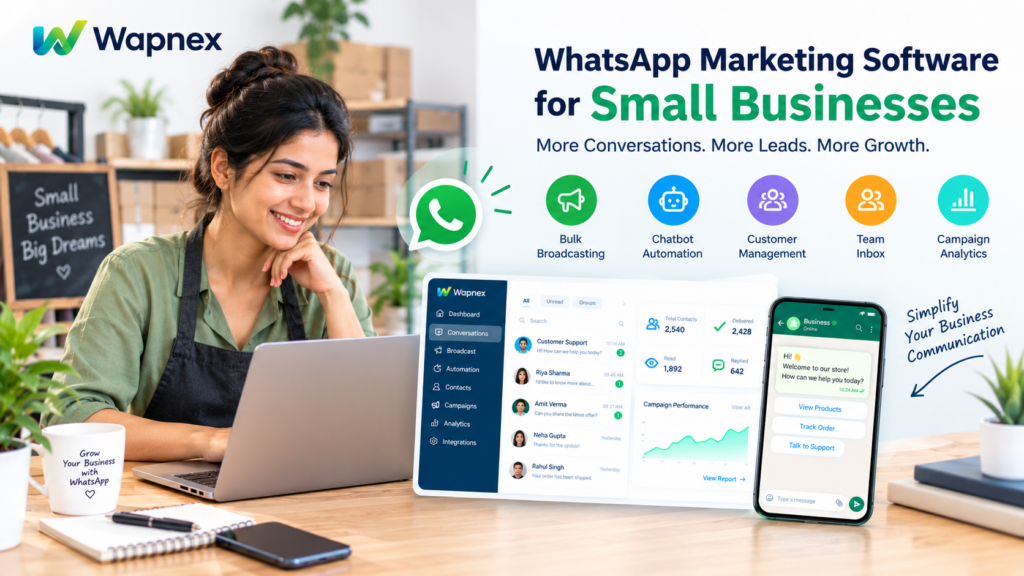
WhatsApp Marketing Software for Small Businesses: Features to Look For
Small businesses need a simple and affordable way to connect with customers, respond to enquiries, promote products, and generate leads. WhatsApp has become an important communication channel for these activities. However, managing hundreds of customer conversations manually can become difficult as a business grows.
This is where WhatsApp marketing software for small businesses can help. The right platform allows businesses to manage customer conversations, send marketing campaigns, automate repetitive replies, organize leads, and monitor campaign performance from one place.
But not every WhatsApp marketing tool offers the same features. Before choosing a platform, businesses should understand which capabilities they actually need, how automation works, and what costs may apply.
In this guide, we will explain the essential features to look for in WhatsApp marketing software and how a platform like Wapnex can support small business communication and marketing workflows.
What Is WhatsApp Marketing Software?
WhatsApp marketing software is a platform that helps businesses manage and improve their communication with customers through WhatsApp. Depending on the product, it may include bulk broadcasting, automated replies, chatbots, contact management, team inboxes, campaign analytics, and integrations with other business tools.
Unlike basic messaging, business marketing software can help organize customer interactions and make communication more manageable as the customer base grows.
For example, a clothing store can use WhatsApp to share product updates with customers who have opted in to receive messages. A service business can automate initial enquiry responses, while an online store can send relevant order updates through supported workflows.
The features available depend on the software, account configuration, and applicable WhatsApp policies.
Why Do Small Businesses Need WhatsApp Marketing Software?
Small businesses often have limited time, staff, and marketing budgets. Manually answering every enquiry and following up with each potential customer can take valuable time away from other business activities.
WhatsApp marketing software can help address these challenges in several ways.
1. Faster Customer Communication
Automated replies can answer common questions about prices, business hours, products, and services. This helps customers receive initial information without waiting for a staff member to become available.
2. Better Lead Management
Businesses can organize contacts, label conversations, and track potential customers according to their interests or enquiry status. This makes it easier for sales teams to identify which conversations need attention.
3. More Organized Marketing Campaigns
Businesses can create targeted campaigns for relevant customer groups instead of manually sending individual messages. Campaign templates and scheduling options, where supported, can make recurring marketing activities easier to manage.
4. Improved Team Collaboration
When multiple employees handle customer enquiries, a shared inbox can help distribute conversations and reduce confusion about who is responsible for each customer.
5. Measurable Marketing Performance
Campaign reports and message statuses can help businesses understand whether messages were sent, delivered, read, or failed, depending on the data provided by the platform and WhatsApp.
These capabilities can make customer communication more structured, although results depend on message relevance, audience quality, and how effectively a business manages its follow-ups.
10 Essential Features to Look for in WhatsApp Marketing Software
Choosing the right software starts with identifying the features that match your business requirements. Here are ten important capabilities to evaluate before making a decision.
1. Official WhatsApp Business API Support
For businesses that need scalable messaging, automation, and team collaboration, access to the official WhatsApp Business Platform is an important consideration.
The API supports business messaging workflows through approved integrations and configured systems. It can help businesses move beyond a basic, manually managed messaging process.
Before selecting a provider, check how it connects your number, handles message templates, supports onboarding, and explains WhatsApp’s messaging policies.
Also, confirm whether your existing business number can be connected through the supported setup.
2. Bulk WhatsApp Broadcasting
Bulk broadcasting allows businesses to send relevant messages to multiple eligible contacts without composing every message individually.
This feature can be useful for:
- Product launches and new arrivals
- Seasonal promotions and special offers
- Service announcements
- Event invitations and updates
- Relevant customer re-engagement campaigns
Look for contact segmentation, template management, campaign reporting, and clear sending limits.
Remember that bulk messaging should not mean sending unsolicited promotions to random phone numbers. Businesses should obtain the required consent, respect opt-outs, and follow WhatsApp’s applicable messaging policies.
3. WhatsApp Chatbot and Automation Builder
A chatbot can handle routine questions and guide customers through predefined conversation flows. Some platforms also support visual, no-code builders that allow users to create workflows without extensive programming knowledge.
For example, a customer contacting a repair service might receive options such as booking a service, checking business hours, or speaking with a representative.
Useful automation features include:
- Welcome messages
- Frequently asked question responses
- Lead qualification questions
- Information collection
- Conversation routing
- Human-agent handoff
Before purchasing, confirm which automation capabilities are included in the plan and whether advanced chatbot flows require an additional payment.
4. Multi-Agent Shared Inbox
A shared inbox is particularly useful when several employees manage customer conversations from one business number.
Instead of relying on a single person’s phone, a team can use a common workspace to handle enquiries more systematically.
Important capabilities include:
- Assigning conversations to team members
- Adding notes and contact labels
- Reviewing conversation history
- Tracking pending customer enquiries
- Transferring complex conversations to the right employee
For small businesses with growing sales or support teams, these features can improve accountability and help reduce missed enquiries.
5. Contact Management and Customer Segmentation
Not every customer should receive the same message. A customer interested in a particular service may need different information from someone who has already purchased it.
Contact management tools help businesses organize customer information and create more relevant audience groups.
Look for features such as contact tags, searchable phonebooks, custom fields, and audience filters.
For example, a fitness studio could separate opted-in contacts interested in personal training from those interested in group classes. The studio could then send relevant updates to each audience.
Collect and use personal information responsibly, and send marketing messages only where the required permission exists.
6. Automated Follow-Ups and Notifications
Consistent follow-up can help businesses manage enquiries and keep customers informed. However, manual follow-ups become difficult when the number of conversations increases.
Depending on the platform and available integrations, automation may support:
- Enquiry follow-up reminders
- Appointment notifications
- Order confirmations
- Delivery updates
- Payment reminders
- Cart recovery messages
Check whether each workflow is supported natively or requires an external integration, webhook, or additional configuration.
For business-initiated messages, use the appropriate approved templates and comply with applicable messaging-window and consent requirements.
7. Campaign Analytics and Reporting
Marketing software should provide useful information about campaign performance rather than simply showing how many messages were sent.
Before selecting a tool, examine whether its reports include:
- Sent, delivered, read, and failed message statuses
- Customer replies and engagement
- Link clicks, where tracked
- Campaign-level comparisons
- Lead and conversion tracking, where supported
These reports can help businesses identify messaging problems, evaluate audience engagement, and improve future campaigns.
Keep in mind that a delivered or read message does not automatically mean a sale. Businesses should connect campaign data with meaningful outcomes, such as qualified leads, completed bookings, or purchases, wherever possible.
8. Integration With Existing Business Tools
A WhatsApp marketing platform becomes more useful when it works with the systems a business already uses.
Depending on the provider, integrations may connect WhatsApp workflows with ecommerce platforms, customer relationship management (CRM) systems, spreadsheets, payment tools, or other applications.
For example, an online store may want to trigger order notifications after a purchase. A sales team may want to send enquiry details to its CRM.
Check the exact integration, supported events, plan requirements, and setup process before relying on a particular workflow.
9. Affordable and Transparent Pricing
Small businesses should compare the total cost of using WhatsApp marketing software, not just the advertised monthly subscription.
Possible costs include:
- Monthly or annual software fees
- WhatsApp messaging charges
- Optional chatbot or automation add-ons
- Integration or development expenses
- Additional contact or user limits
Ask for a clear breakdown of these costs before committing to a plan.
A low-priced subscription may be suitable for a small team with basic requirements, while a business handling multiple campaigns and complex workflows may need a more comprehensive setup.
10. Security, Support, and Easy Onboarding
The platform should make it clear how business accounts are connected, how staff access is managed, and how customer information is handled.
Look for role-based access where available, secure authentication, transparent privacy policies, and responsive technical support.
Easy onboarding is also important. A provider should help you understand number connection, template setup, campaign configuration, and the features available in your selected plan.
Avoid assuming that every provider offers the same security controls or support arrangements. Verify the details before making a decision.
How to Choose the Right WhatsApp Marketing Tool for Your Business
The best software depends on your business model, team size, messaging volume, and marketing goals.
| Business type | Features to prioritize |
| Retail shops | Contact management, broadcasts, product updates |
| Online stores | Ecommerce integrations, order notifications, cart recovery |
| Service businesses | Automated replies, lead qualification, appointment reminders |
| Marketing agencies | Multiple client workflows, team access, campaign reporting |
| Growing sales teams | Shared inbox, lead assignment, CRM integration |
| Customer support teams | Chatbots, conversation routing, reporting |
Before choosing a platform, write down the tasks you want to automate. Then compare providers against those specific requirements.
A practical approach is to test one real customer journey during a product demo. For example, check how a new enquiry enters WhatsApp, receives an initial response, reaches a team member, and gets recorded for follow-up.
This helps you evaluate the complete workflow instead of judging software only by the number of features advertised.
How Wapnex Helps Small Businesses Manage WhatsApp Marketing
Wapnex provides a WhatsApp-focused communication and automation platform designed to help businesses manage customer interactions from a connected workspace.
Its website highlights several features that small businesses may find useful.
Bulk Broadcasting and Campaign Management
Businesses can create campaigns using supported message templates and manage broadcasting through the platform. Campaign reporting helps users review available message statuses and evaluate engagement.
Chatbots and No-Code Automation
Wapnex offers a visual flow builder for configuring chatbot conversations and automated workflows. These capabilities can help businesses handle routine enquiries, collect information, and route conversations according to configured rules.
Shared Inbox and Team Collaboration
The platform includes a shared inbox for managing customer conversations, assigning chats, adding notes, and organizing enquiries across team members.
AI Voice Calling
Wapnex also highlights AI voice calling capabilities for workflows such as lead qualification and customer enquiries. Availability and configuration should be confirmed for the selected plan and use case.
Integrations and API Access
Wapnex lists integrations and API-related capabilities for connecting supported business systems. Businesses should confirm the exact connector, technical requirements, and availability before implementation.
These features can be useful for businesses that want to combine messaging, customer support, and automation. The right configuration depends on the business’s requirements and the features included in its selected plan.
To explore the platform, visit the official Wapnex website.
Common Mistakes to Avoid When Using WhatsApp Marketing Software
Even good software cannot compensate for a poorly planned marketing strategy. Avoid these common mistakes:
Sending messages without permission: Obtain the appropriate opt-in and respect customer preferences.
Using the same message for everyone: Segment audiences and share relevant information.
Automating every conversation: Give customers an easy way to reach a human when their question requires individual attention.
Ignoring failed messages: Review campaign reports and investigate delivery issues.
Choosing software based only on price: Compare actual features, message charges, support, and integration requirements.
Expecting instant sales: Use relevant content, timely follow-ups, and clear calls to action. Measure results instead of assuming that more messages automatically produce more revenue.
Frequently Asked Questions (FAQs)
1. What is the best WhatsApp marketing software for small businesses?
The best option depends on your budget, messaging volume, automation needs, and team size. Compare official API access, broadcasting, chatbots, shared inbox features, reporting, integrations, and total costs before choosing a platform.
2. Can small businesses automate WhatsApp messages?
Yes. Suitable platforms can automate supported replies, notifications, and follow-up workflows. Some also provide visual chatbot builders that allow businesses to configure automation without extensive coding.
3. Is WhatsApp marketing software different from the WhatsApp Business app?
Yes. The standard WhatsApp Business app is primarily designed for direct business messaging, while API-based platforms can add campaign management, team inboxes, integrations, analytics, and advanced automation. Available capabilities vary by provider.
4. Can WhatsApp marketing software generate business leads?
It can help capture enquiries, ask qualifying questions, organize customer information, and route leads to sales teams. Actual lead generation results depend on the offer, audience, campaign, and follow-up process.
5. Is WhatsApp bulk messaging allowed for businesses?
Businesses can use supported marketing messaging workflows when they follow WhatsApp’s applicable policies, obtain the required opt-in, use approved templates where required, and respect opt-outs and messaging limits. Unsolicited messaging can lead to restrictions.
6. How much does WhatsApp marketing software cost?
Pricing varies by provider, plan, messaging volume, and additional features. Compare subscription fees, applicable WhatsApp messaging charges, chatbot add-ons, and integration expenses to estimate the total cost.
7. Does Wapnex provide WhatsApp automation and chatbot features?
Wapnex lists chatbot flows, a visual automation builder, broadcasting, a shared inbox, and AI voice calling on its website. Confirm the availability and pricing of specific capabilities for your intended setup.
8. How can I measure WhatsApp marketing campaign performance?
Review available message delivery statuses, customer replies, link engagement, qualified leads, and conversions. Connect campaign activity to sales or bookings wherever possible to understand business impact.
Conclusion
Choosing the right WhatsApp marketing software for small businesses starts with understanding how your business communicates with customers and where manual work creates difficulties.
Features such as official API access, bulk broadcasting, chatbot automation, contact management, a shared inbox, campaign analytics, and integrations can help create a more organized communication process.
Before investing, compare the total cost, confirm feature availability, and test the workflows that matter most to your business.
Wapnex offers a combination of WhatsApp messaging, automation, team collaboration, and AI voice calling capabilities. Explore its platform to determine whether its features match your business goals and customer communication requirements.
Ready to simplify your business communication? Visit Wapnex to explore its WhatsApp marketing and automation solutions.